

Chevrolet › Tahoe
Surround Vision Recorder on the 2026 Chevy Tahoe: Your Tahoe Is Also a Dashcam
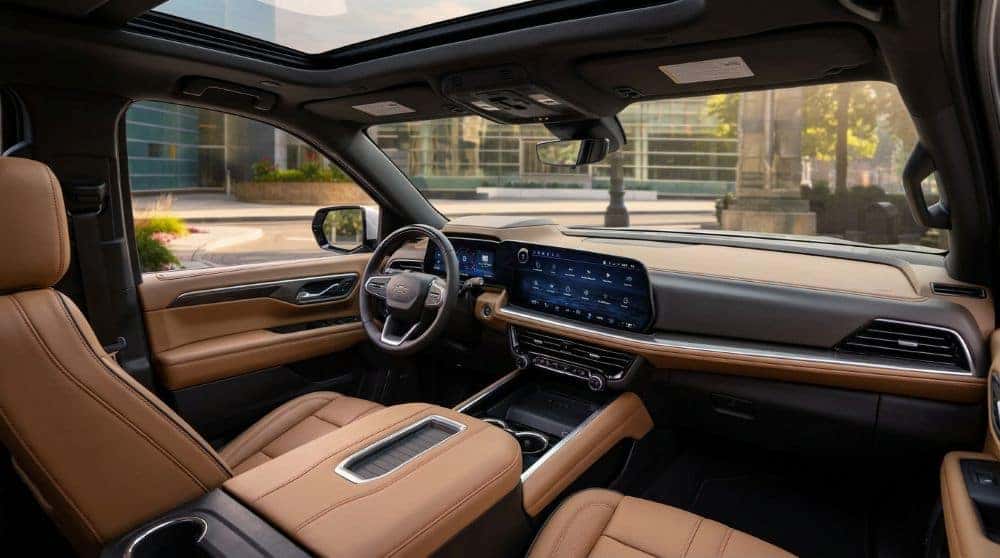
The Surround Vision Recorder on the 2026 Chevy Tahoe lets you record, save, and watch back footage from the SUV’s HD Surround Vision cameras. With a USB drive plugged in, the system saves each drive as a 2-hour video loop — essentially a built-in dashcam covering all four sides of the vehicle. On some models, it also activates Security Recording: if your alarm is triggered while parked, every available camera (including the interior camera) records a 30-second clip. The feature is being enabled via dealer software update on equipped 2026 Tahoes.
The 2026 Chevy Tahoe already has one of the best 360-degree camera systems in any full-size SUV — standard HD Surround Vision on every trim, four exterior cameras, and up to 14 camera views. The Surround Vision Recorder takes those same cameras and turns them into something more: a built-in dashcam and security camera for your Tahoe. Here’s exactly what it does, what you need to use it, and how to set it up.
What Surround Vision Recorder Does
In plain English, it records and saves video from the Tahoe’s exterior cameras. When the feature is on and a USB drive is plugged in, it captures footage from the HD Surround Vision cameras while you’re driving and stores each trip as a separate video. Parked, you scroll through the saved trips in the Recordings app on the touchscreen and watch them back — or export them to the USB drive to use on a computer.
The system records in continuous 2-hour loops while the vehicle is on. So instead of buying and mounting a third-party dashcam, your Tahoe’s existing cameras do the job using hardware that’s already there.
Security Recording: Alarm-Triggered Footage
On select 2026 Tahoes, Surround Vision Recorder also includes Security Recording. If something triggers your vehicle’s alarm while it’s parked, the system automatically captures a 30-second clip from every available camera — exterior and interior. With a USB drive inserted, that clip is saved to the Recordings app, clearly labeled “Security,” and can be exported. You can turn Security Recording on or off in the Recordings app settings.
What You Need to Make It Work
- A 2026 Chevy Tahoe equipped with HD Surround Vision (every 2026 Tahoe trim has it, standard).
- The Surround Vision Recorder software activation — enabled via a dealer software update on equipped trucks (the update Chevrolet has released for 25/26 Tahoe/Suburban/Yukon).
- Your own high-speed USB drive plugged into the vehicle’s data port.
- Check your Owner’s Manual for the specific USB port location and the recommended drive type for your Tahoe.
Quick note: the USB drive is user-supplied. Chevrolet doesn’t include one. Higher-speed USB drives (or a small SSD) work best, especially for longer trips and security footage.
How to Use It — Step by Step
- Plug a high-speed USB drive into the Tahoe’s data port (see Owner’s Manual for location).
- Open the Recordings app on the center touchscreen and enable Surround Vision Recorder.
- Drive normally — each trip is saved automatically as a separate video, in 2-hour loops.
- Optional: in the Recordings app settings, enable Security Recording so alarm-triggered events save automatically.
- When parked, open the Recordings app to scroll through saved trips. Trips are listed separately; Security clips are labeled “Security.”
- Export the footage you want to keep to your USB drive, then plug the drive into a computer to view or share.
Watch It in Action
Words only get you so far on a feature like this — here’s a quick walkthrough so you can see exactly what Surround Vision Recorder looks like on the Tahoe’s screen.
Why It Actually Matters
Two real-world reasons this is genuinely useful. One: insurance and accident documentation. A built-in 4-camera dashcam covers far more angles than a typical windshield-mounted one — you’ve got front, both sides, and rear coverage. If something happens, you’ve got it on video, automatically. Two: it’s a security camera for your Tahoe. Park at a hotel, a public lot, an event, or your own driveway, and an alarm trigger captures who’s near your vehicle and what they’re doing. For families, frequent travelers, or anyone who’s had a parking-lot run-in, it’s peace of mind that costs you exactly one USB drive.
This one catches folks off guard — they don’t realize their Tahoe can record itself coming and going. Pop a USB drive in and forget about it. Then if something happens, you’ve got the footage. Used to be a $200 dashcam install and zip ties everywhere. Now it’s just there.
A Note on Availability
As of early 2026, Chevrolet has released a dealer software update that activates Surround Vision Recorder on equipped 2025–2026 Tahoe, Suburban, and Yukon models. If your 2026 Tahoe doesn’t show the Recordings app yet, the update may not have been applied — stop by the service department and we’ll get it installed. The hardware is already on your truck; the software just needs to be enabled.
For most Tahoe owners, Surround Vision Recorder is a no-brainer to turn on — buy a high-speed USB drive, enable Security Recording, and forget about it. You get a 4-camera dashcam and a parked-car security camera for the price of a USB drive.
Frequently Asked Questions
What is Surround Vision Recorder on the Chevy Tahoe?
Surround Vision Recorder lets the 2026 Tahoe record, save, and watch back footage from its HD Surround Vision exterior cameras. With a USB drive plugged in, it acts as a built-in dashcam, saving each trip as a separate 2-hour video loop. On some models it also records 30-second security clips when the alarm is triggered while parked.
What do I need to use Surround Vision Recorder?
You need a 2026 Chevy Tahoe equipped with HD Surround Vision (standard on every 2026 trim), the Surround Vision Recorder software activation (enabled via a dealer software update), and your own high-speed USB drive plugged into the vehicle’s data port.
Does the Tahoe come with a USB drive for Surround Vision Recorder?
No. Chevrolet doesn’t include one — the USB drive is user-supplied. A high-speed USB drive or small SSD works best for storing longer trips and security footage.
How long does Surround Vision Recorder record?
The system records in continuous 2-hour loops while the vehicle is on. Each trip is saved as a separate video that you can view in the Recordings app on the center touchscreen or export to your USB drive.
Does Surround Vision Recorder work when the Tahoe is parked?
Yes, on select 2026 Tahoe models. With Security Recording enabled, if something triggers the vehicle’s alarm while parked, the system automatically records a 30-second clip from every available camera — including the interior camera — and saves it as a “Security” clip to your USB drive.
Why doesn’t my 2026 Tahoe have Surround Vision Recorder yet?
The hardware is already on your truck — the software just needs to be enabled. As of early 2026, Chevrolet released a dealer software update that activates Surround Vision Recorder on equipped 2025–2026 Tahoe, Suburban, and Yukon models. If the Recordings app isn’t visible yet, schedule a service visit and Carter will install the update.
See the Tahoe’s Camera Tech in Person
We’ll show you the 2026 Tahoe’s Surround Vision Recorder, HD camera system, and every other tech feature — delivered to your driveway with no pressure. Call (405) 546-1147.
Sources
- Chevrolet — Surround Vision Recorder (official support page), chevrolet.com/support
- 2026 Chevrolet Tahoe — Chevrolet (official product page), chevrolet.com
- Surround Vision Recorder dealer software update notes — industry reporting